Jobpedia for Chrome
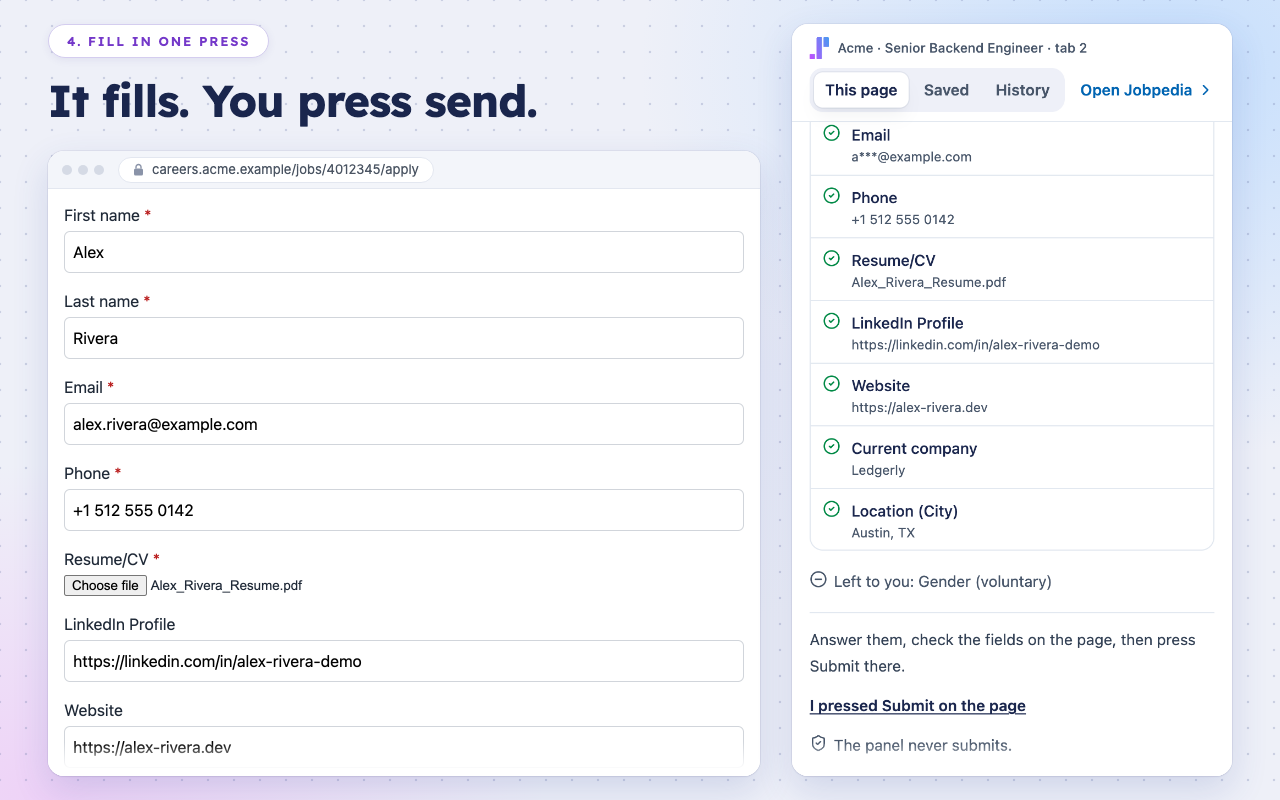
Open a job posting and Jobpedia tells you how well you fit it. Open its application form and Jobpedia fills it from facts you confirmed, with your tailored resume attached. You check every answer and press send.
No card Nothing invented You press send
Free to install. You sign in with your Jobpedia account.
What it does
Says how well you fit
On a job posting, the panel says in words how your resume meets the job and what is missing. Answer a gap in one line and it is added to your record.
Fills the application form
From facts you confirmed, your application profile and answers you gave before. A question it cannot answer waits for you, with the reason.
Attaches your tailored resume
The version you exported for that job goes into the form’s upload field, so the resume matches the posting.
Keeps track of what you sent
Jobs you save and check stay in the panel’s Saved and History tabs; an application you mark as sent moves to My jobs.
See it on a real form
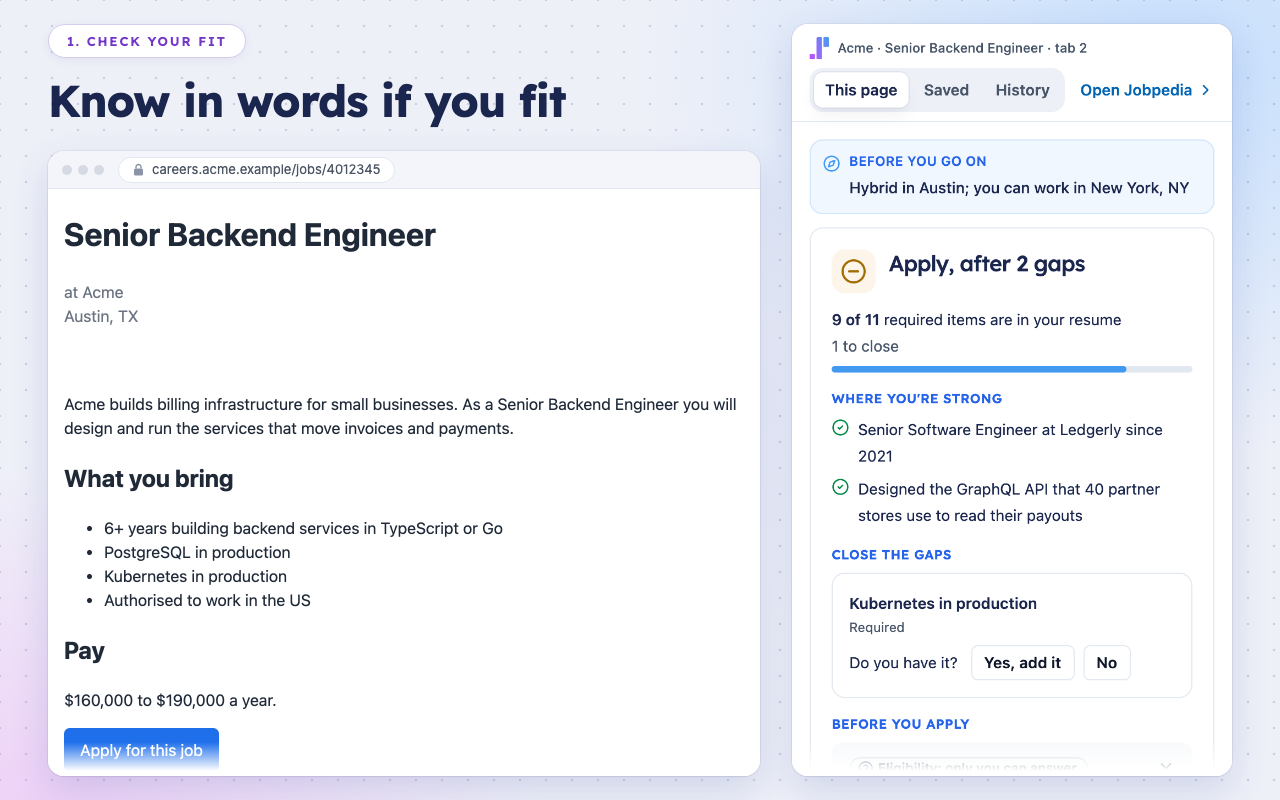
Know in words if you fit, and close a gap in one line. 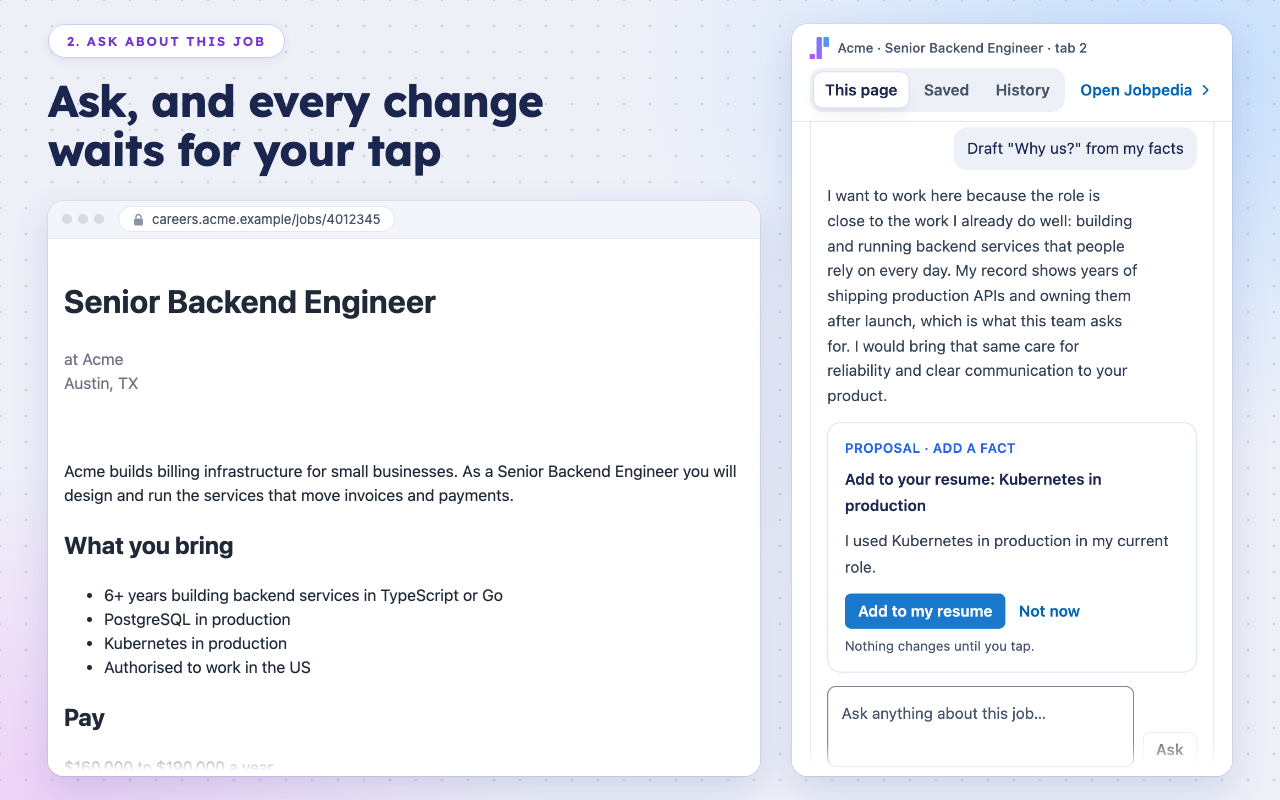
Ask about the job. Every change waits for your tap. 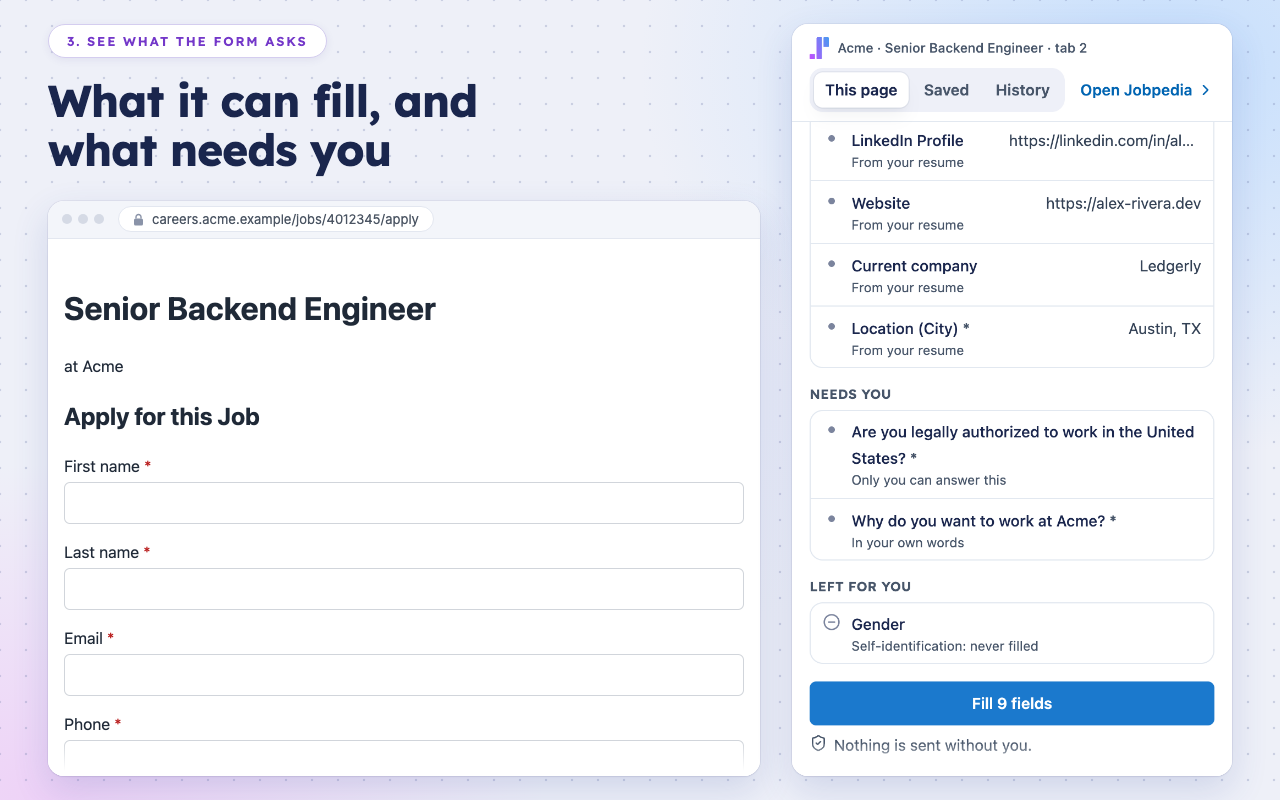
See what the form asks, before anything is filled. 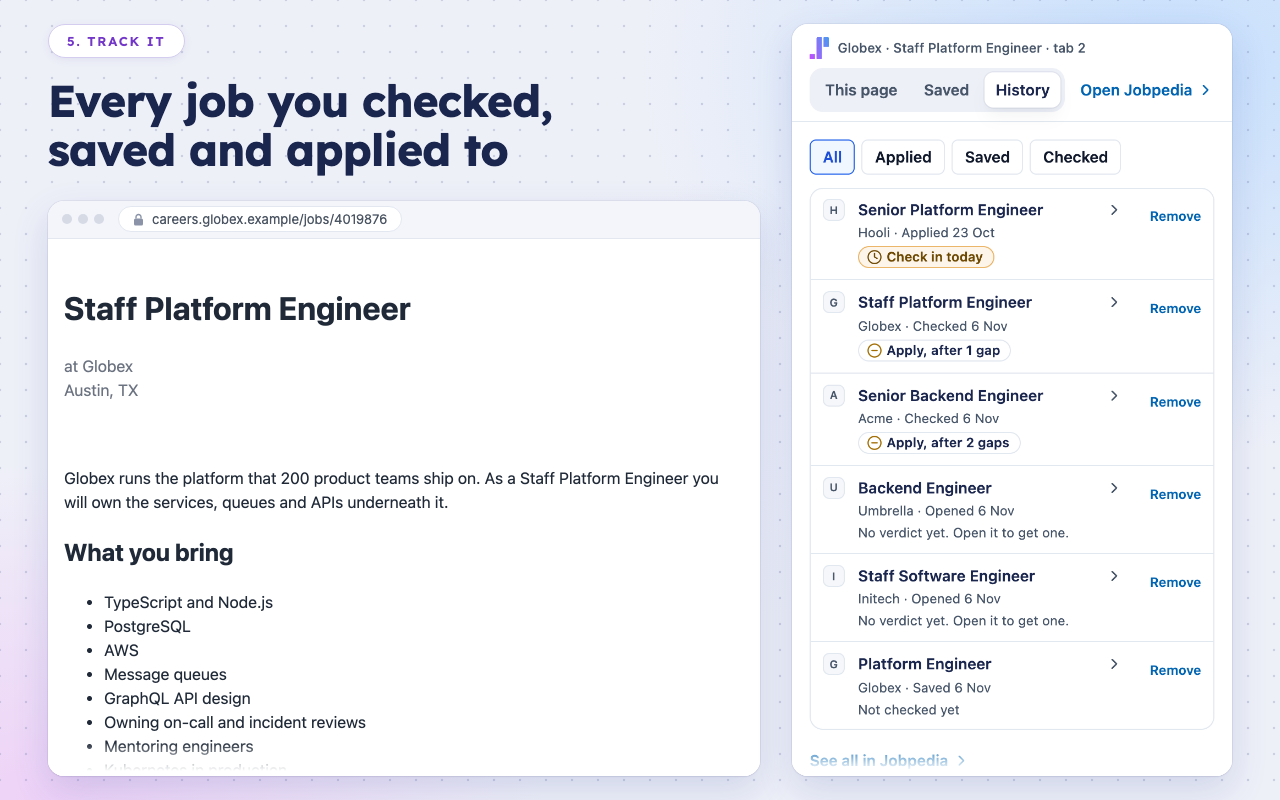
Every job you checked, saved and applied to.
What it will not do
Submit a form
It fills fields and stops. Sending the application is always your press.
Answer for you on sensitive questions
It never fills voluntary self-identification (gender, ethnicity, veteran status, disability), and answers work authorization only for the country a question names, from your own answer.
Read pages in the background
It reads a page only while its panel is open on it, or when you press Check or Save. Not in incognito windows.
Invent anything
Every value comes from your record or your answers. A question with no answer in your record is left for you.
Your data
The extension sends Jobpedia the posting you check and the questions of a form you fill, never what is already typed on the page. Jobs you open on LinkedIn or Indeed stay in your private history and never enter our catalogue.
History is on by default; you can turn it off, pause it on a site or clear it from the panel. Usage counts are sent only if you allow them.
Questions
Which browsers does it run in?
Do I need a Jobpedia account?
Which application forms can it fill?
How do I remove it?
Your next application, already filled in
Install it, sign in, and open the job you want to apply to.
No card Nothing invented You press send